A Chromium browser for the Mac
A place for every tab.
Avora runs your tabs down the side, gives work and life their own Spaces and sign-ins, and tells you exactly why a page looks the way it does.
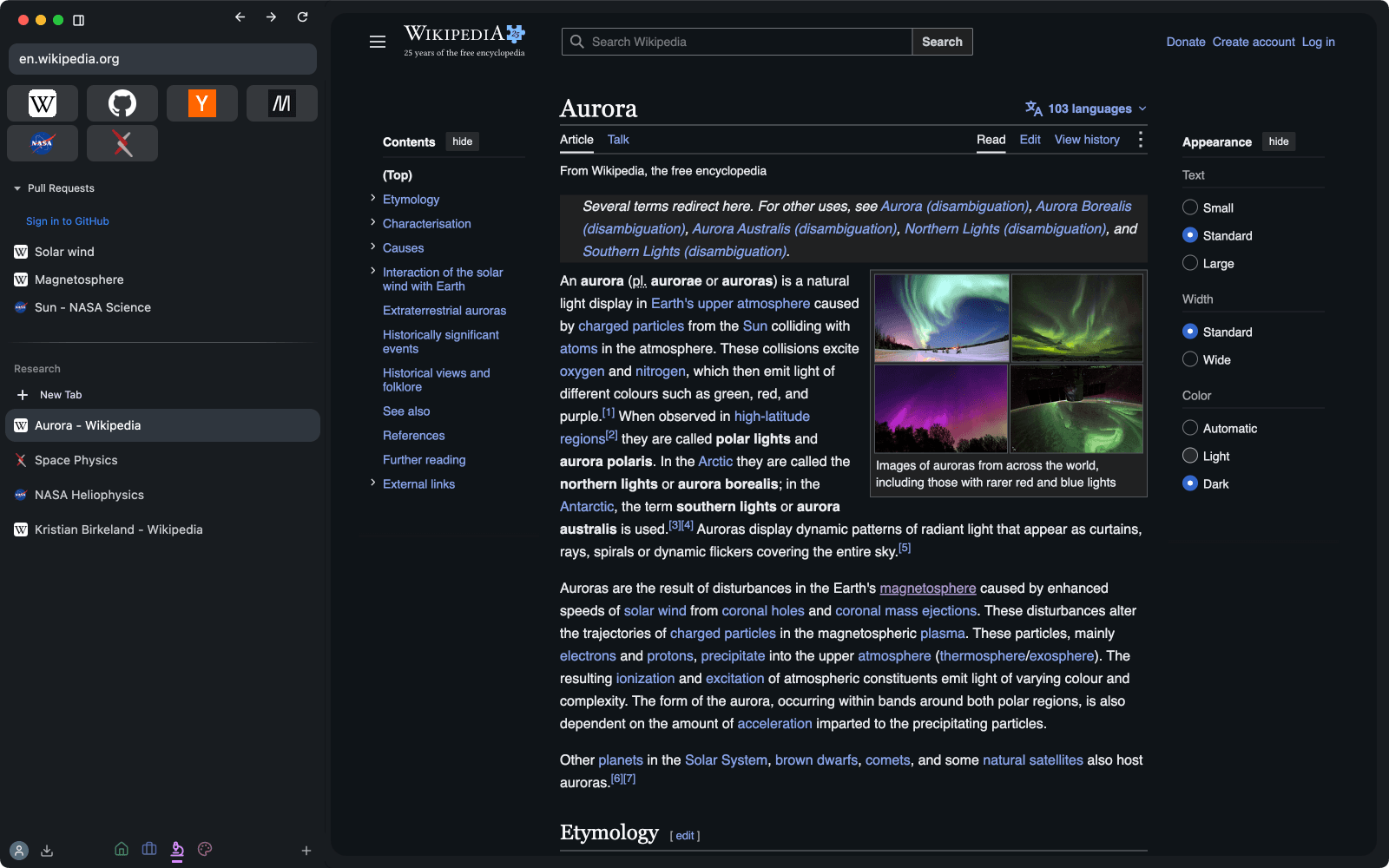
Screenshots
Pick a tab. This is the real thing.
Every image here is a capture of Avora itself, not a mockup.
Work and life, signed in separately.
Every Space has its own tabs, Favorites and colour, and its own cookies and logins. Stay signed in to two accounts on one site, one Space each, and switch with a click.
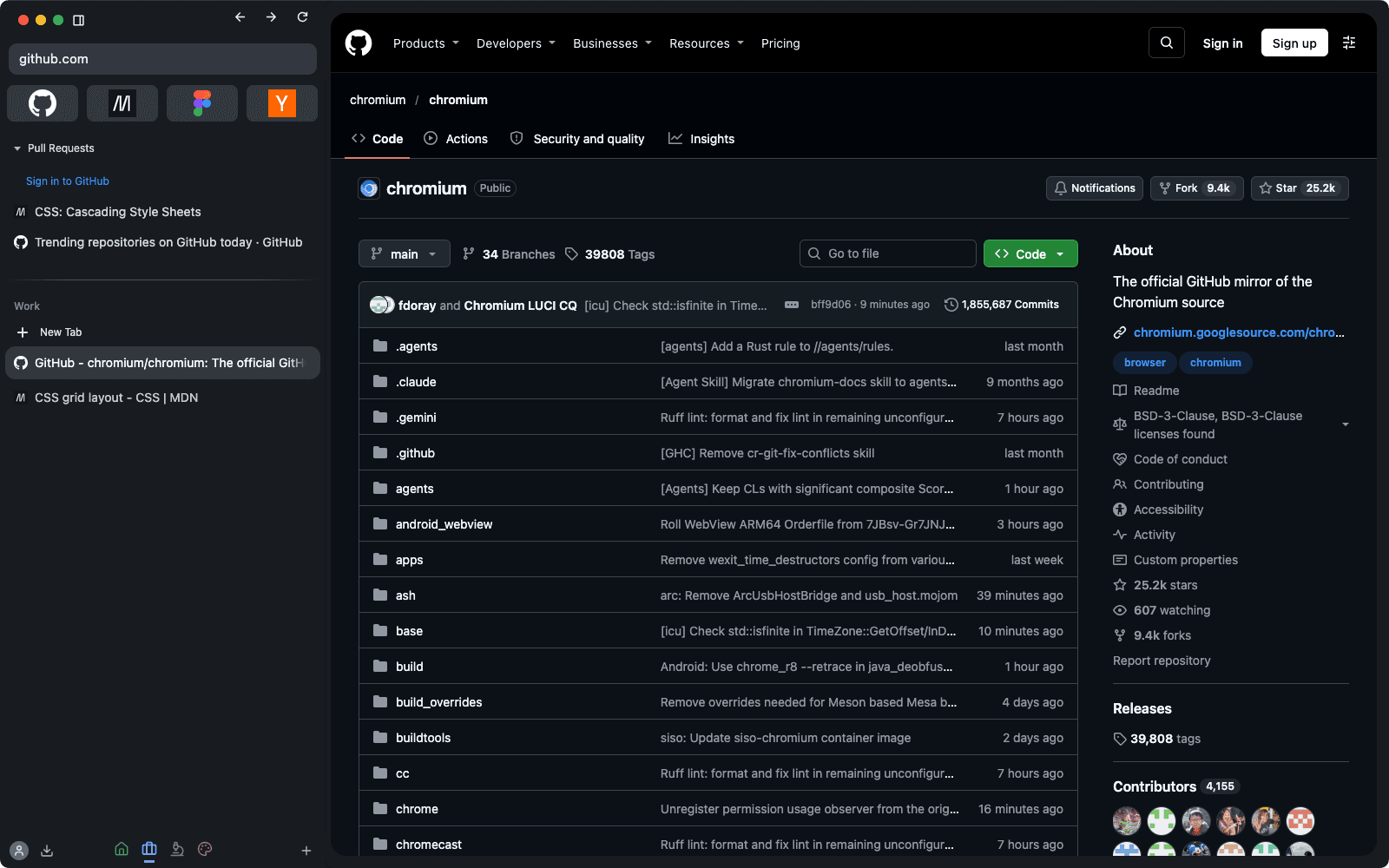
Keep what matters. Work on the rest.
Favorites and pinned pages stay put. Today holds what you're doing now, and it survives a quit, a crash or a closed window.
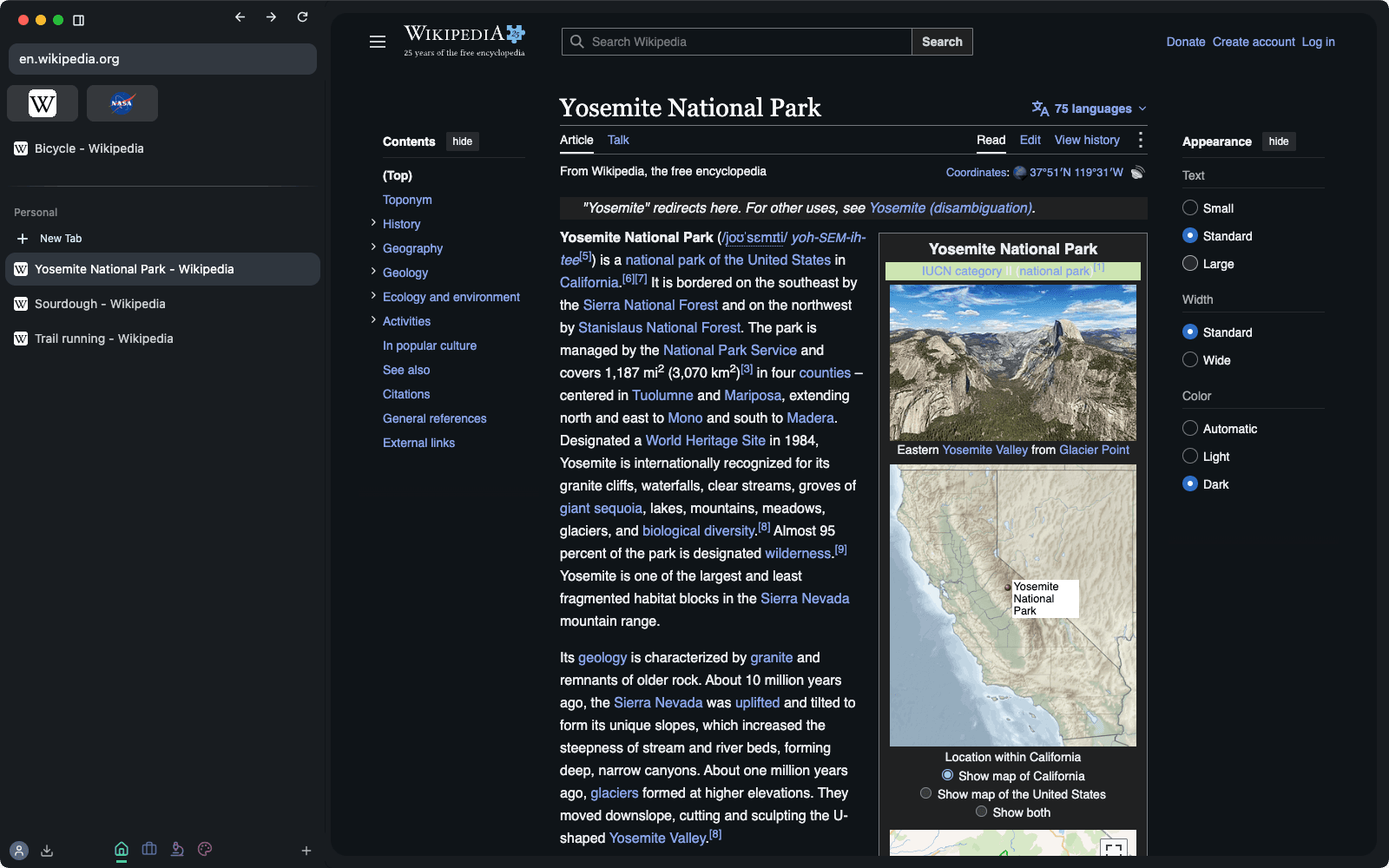
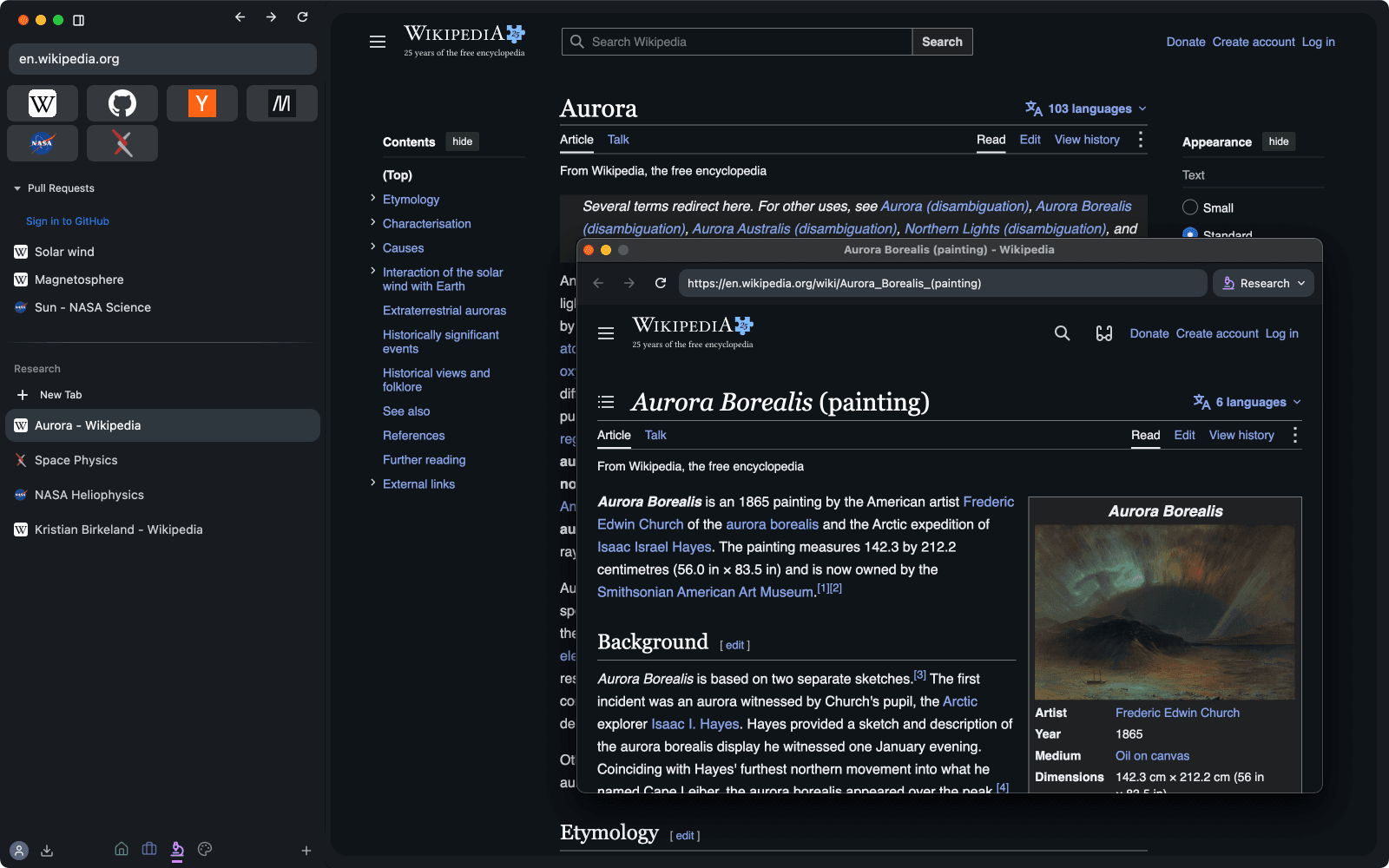
Look at a link without leaving your page.
Links that would open a new tab open in a card over the page instead. Close it to carry on, or expand it into a real tab with your scroll position and form state intact.
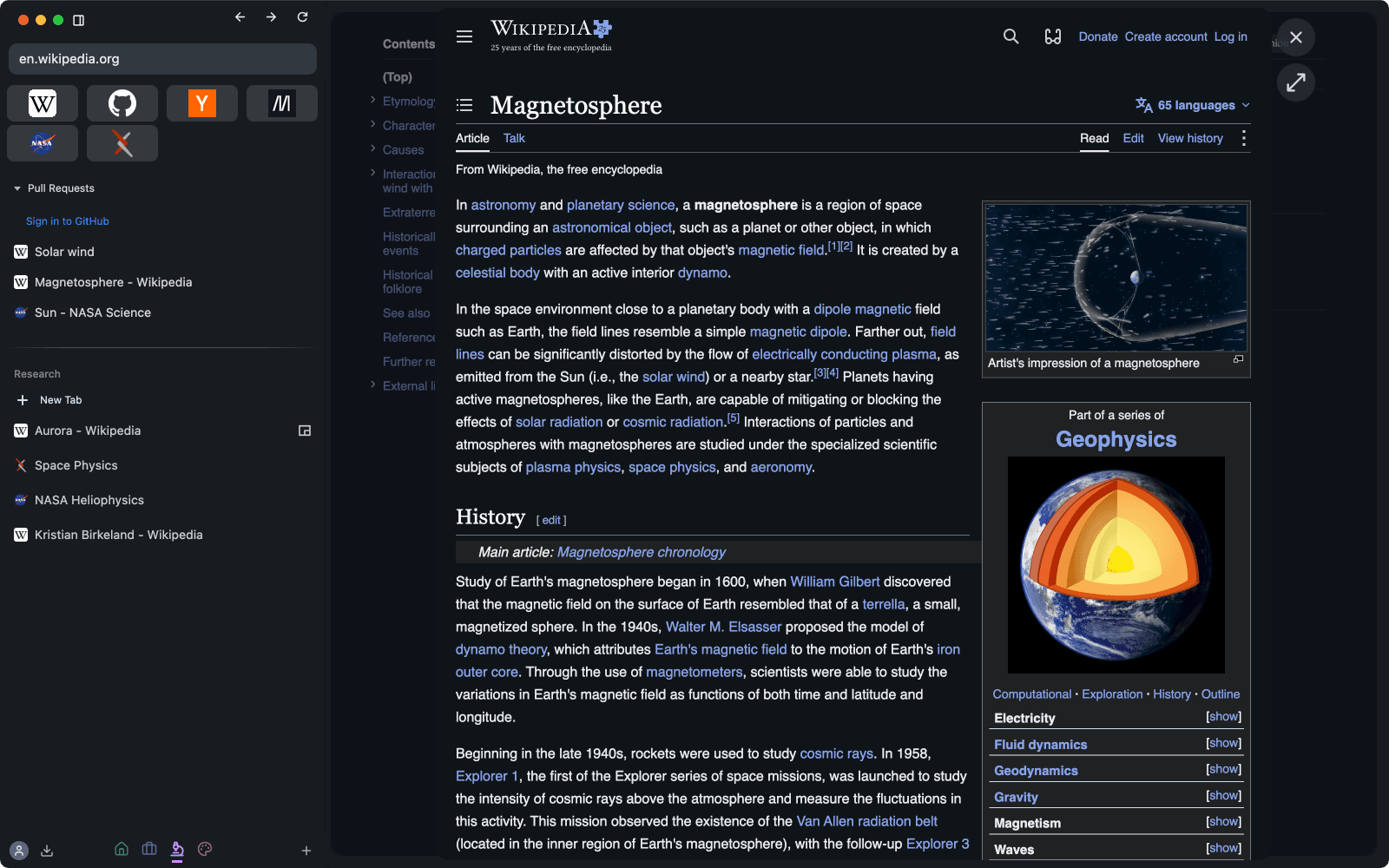
A link from Mail is a glance, not a commitment.
Links from other apps land in a small window of their own instead of joining the tabs you're working in. Keep one by choosing a Space from its toolbar.
Live Folders
A sidebar folder that fills itself with your GitHub pull requests, using the account signed in to that Space. Each one opens as its own tab.
Bring everything
Import Arc's Spaces and pinned tabs, plus bookmarks from Chrome, Safari, Firefox and other Chromium browsers.
Sync
Sign in to an Avora account to share your Spaces, Favorites, pinned items and today's tabs across devices.
Avora Intelligence
Ask why a page looks the way it does.
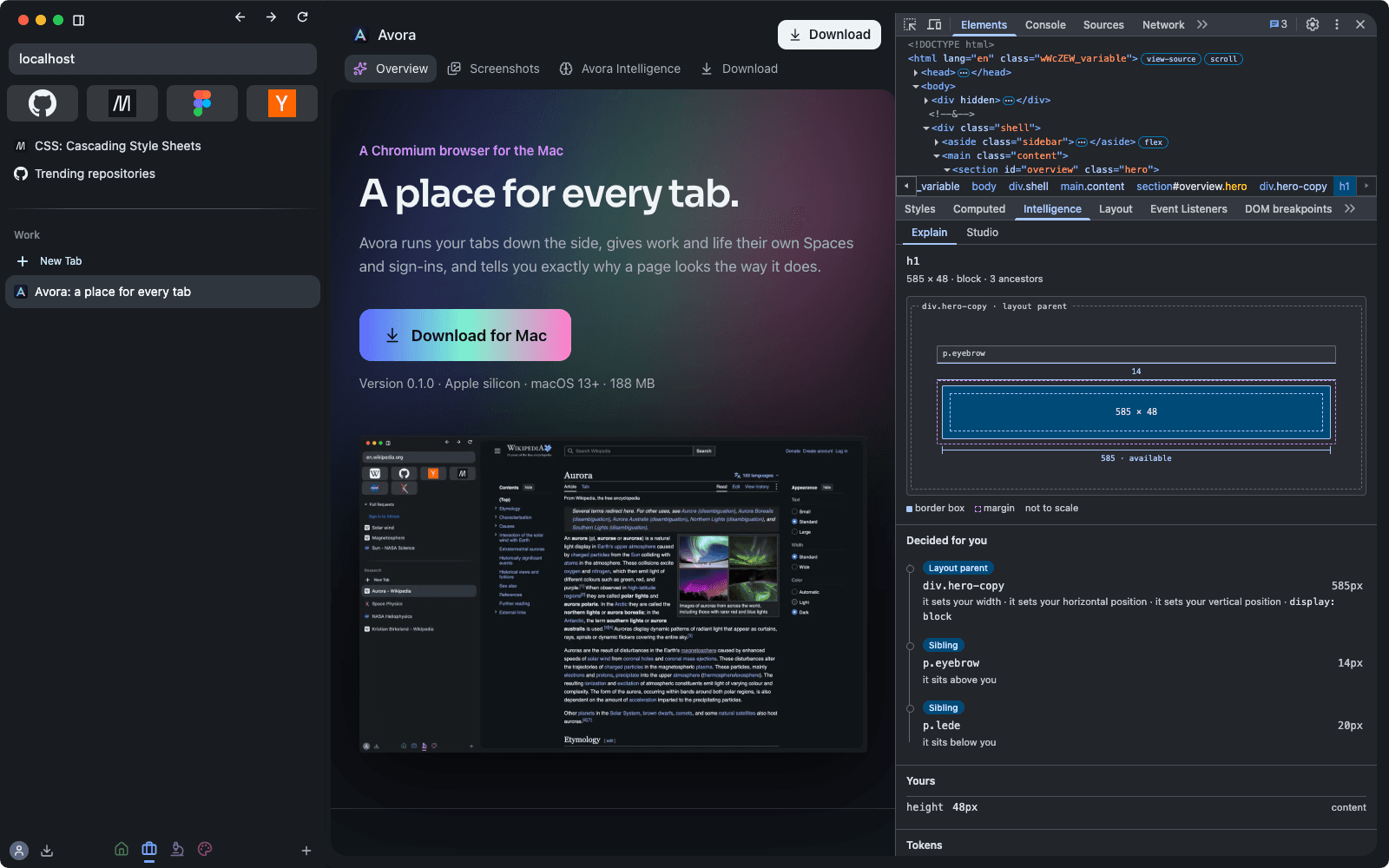
Intelligence is built into DevTools for anyone who works on the web. It isn't a chatbot guessing at your CSS. It reads what the browser actually did, then explains it.
- Select
Pick any element
Open DevTools, go to Elements, and choose the Intelligence tab beside Styles and Computed. It follows whatever you select.
- Measure
Chromium reports the facts
Avora reads the computed style, the matched CSS and the box model for that one element, along with its layout and stacking relationships, straight from the engine that drew it.
- Explain
You get the reason
Why it's this wide, what decides where it sits, where a gap comes from, and which stacking context holds it, each traced back to the declaration responsible.
- Try
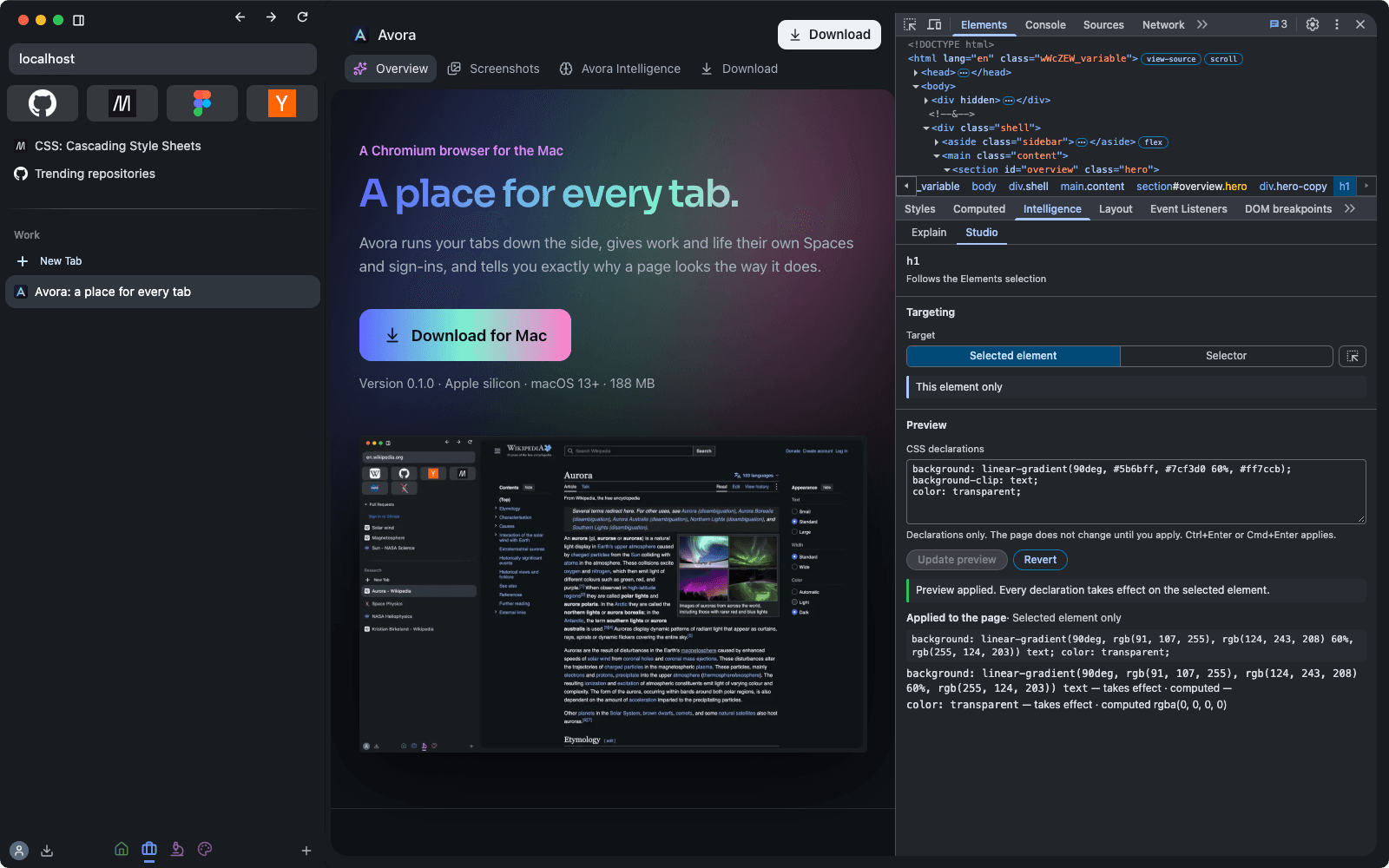
Change it in Studio
Target the element or a selector, write CSS and preview it live. Studio writes to a stylesheet of its own, never the page's, and Revert puts everything back.
Measurements are the source of truth. An incomplete explanation beats a confident wrong one.
Avora keeps what Chromium measured apart from what it can only infer, and an inference never invents a value. When it can't prove what controls something, it shows you the measured number and leaves the cause unnamed.
From understanding to changing it
Switch from Explain to Studio in the same pane. Your draft stays apart from what's applied, invalid CSS is refused, and a preview left behind by a crash gets cleaned up. Here, Studio has just given this page's own headline a gradient.
Generate
Soon you'll be able to describe a change and let Claude draft the CSS. It's designed so you stay in charge at every step.
- You bring your own Anthropic API key. It's encrypted with a key held in your Mac's Keychain, and it's never shown again or synced. You can already add one in Avora Settings.
- The model sees a small, size-capped description of one element and returns CSS declarations only, checked by the same parser as your own drafts.
- The result lands in your draft. Nothing reaches the page until you apply it.
- Requests are only made when you press Generate. Explain and Studio run entirely on your Mac.
Download
Move in. It takes a minute.
- Open the download. Double-click the Avora DMG.
- Drag Avora to Applications. It installs like any Mac app.
- Launch it. Avora offers to bring your bookmarks with you the first time it opens.
SHA-256 e54509318f25cb001796017a57cbf800eec859271981b3bb2ada5d43c5e5e200